Work Permit Status Check in the UAE: How to Verify Your Permit on MOHRE

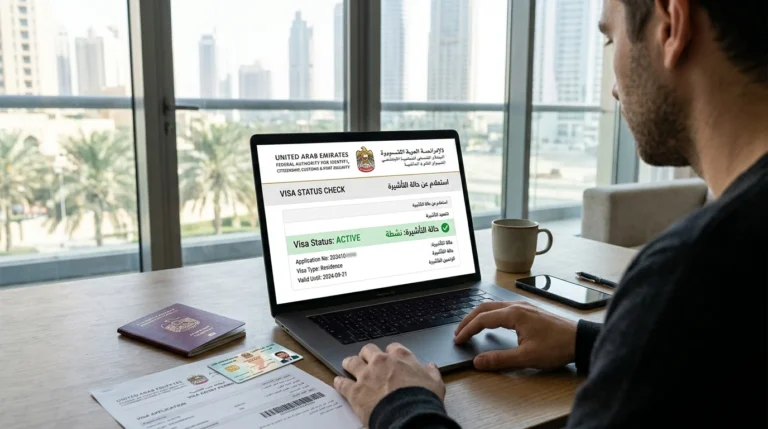
You can do a work permit status check for free on MOHRE’s inquiry portal (inquiry.mohre.gov.ae) or in the MOHRE app. Choose the service that matches your stage, such as Electronic Work Permit Information, then enter the reference the form asks for, usually the transaction number your employer or PRO holds.
The right service depends on where your application stands. A job offer, an entry permit, an issued work permit and a registered contract each have their own check, and mixing them up is the most common reason for a “no record found” result. This guide explains each check, what the results mean, and what happens to your permit and your gratuity when a job ends.
What a UAE work permit is
A work permit is a document issued by the Ministry of Human Resources and Emiratisation (MOHRE) that allows a person to work for a licensed establishment. That is the definition in Article 1 of the Decree-Law. Article 6 adds that nobody may work in the UAE, and no employer may hire anyone, without one. Many people call it a labour card. Older documents refer to MOL, the former Ministry of Labour. It is the same authority that is now called MOHRE.
A work permit is not a residence visa. MOHRE handles your authorisation to work. The Federal Authority for Identity, Citizenship, Customs and Port Security (ICP) handles residence visas and Emirates ID, and the General Directorate of Residency and Foreigners Affairs (GDRFA) does so in Dubai. A work permit status check on MOHRE will not tell you whether your visa is valid.
Which stage is your permit at?
Match your situation to the service below before you search.
| Your stage | MOHRE inquiry service | What it shows |
| Job offer received | Enquiry for Job Offer | The job title, salary and contract length MOHRE holds on record |
| Application submitted | Application Status | Whether the transaction is being processed, approved or returned |
| Entry or status-change permit | Transaction Status in Immigration | Progress of the immigration step |
| Permit issued | Electronic Work Permit Information | Employer, job title and permit status |
| You need the document | Print Electronic Work Permit | A printable electronic work permit |
| Contract signed | View Approved Contract | Whether your contract is registered |
Medical tests, Emirates ID biometrics and visa stamping are handled by ICP or GDRFA, not MOHRE.
How to do a work permit status check on MOHRE
Most lookups on the public portal need no login. Follow these steps:
- Go to inquiry.mohre.gov.ae and open the list of inquiry services.
- Select Electronic Work Permit Information to see an issued permit, or Application Status to follow an application in progress.
- Enter the reference the form asks for. This is usually the transaction number, which your employer or its PRO (the person who handles government paperwork) can give you.
- Type the verification code shown and select search.
- Read the result, which typically includes the company name, job title and permit status.
The required fields depend on the service. The job offer inquiry, for example, asks for a transaction number with a passport number and nationality, or an Emirates ID with nationality. If the form asks for something you do not have, you have probably opened the wrong service.
The MOHRE app shows the same information and supports UAE Pass login. You can also call the MOHRE call centre on 600 590 000 or email ask@mohre.gov.ae. Checking a status costs nothing, so be careful with third-party sites that charge for it.
If you do not have a transaction number, ask your PRO, because your employer files the application. The public permit lookup asks for the number, so if nobody can give it to you, call MOHRE.
What the results mean
The wording changes from service to service, but results usually fall into these groups.
| What you see | What it usually means | What to do |
| No record found | A typo, a transaction that is too new, or a free zone permit that MOHRE did not issue | Recheck the number and confirm whether your employer is mainland or free zone |
| Under process | MOHRE is still reviewing the transaction | Wait, then ask the PRO if nothing changes after several working days |
| Approved or active | The approval or permit is in place | Move to the next stage, such as the entry permit, medical test or contract registration |
| Rejected or returned | A document is missing or a condition was not met | Ask your employer which document or condition caused it |
| Cancelled or expired | The permit is no longer valid | Check whether a renewal or new permit has been filed, and raise it with HR if you are still working |
Mainland, free zone and domestic worker permits
MOHRE issues permits for mainland private-sector employers. If you work for a free zone company, such as one in JAFZA or DMCC, the free zone authority issues your employment permit, and MOHRE will usually show no record. Check on the free zone’s portal or ask its HR team. Employees in DIFC and ADGM work under their own employment laws, so see the separate guide on DIFC and ADGM end-of-service rules.
Domestic workers are outside the Decree-Law under Article 3, and MOHRE runs a separate Domestic Worker Enquiry service for them. Federal and local government employees are also outside the Decree-Law and follow separate legislation.
What to do if the status is wrong or stuck
Work through these steps in order.
- Recheck the number you entered. A typo is the most common cause of a “no record” result.
- Allow time if the transaction is new, then ask your PRO to check it from the employer’s side.
- Look for missing documents or unpaid fees. The inquiry portal includes a service for outstanding fees.
- Ask the employer why a transaction was rejected or returned. Under Article 7 of Cabinet Resolution No. 1 of 2022, MOHRE can refuse to issue or renew a permit for false documents, a fictitious establishment or failure to follow the Wage Protection System. These are employer-side problems that you cannot fix yourself.
- Contact MOHRE on 600 590 000, or the labour claims line on 80084, if the problem remains.
Work permit status when your job ends
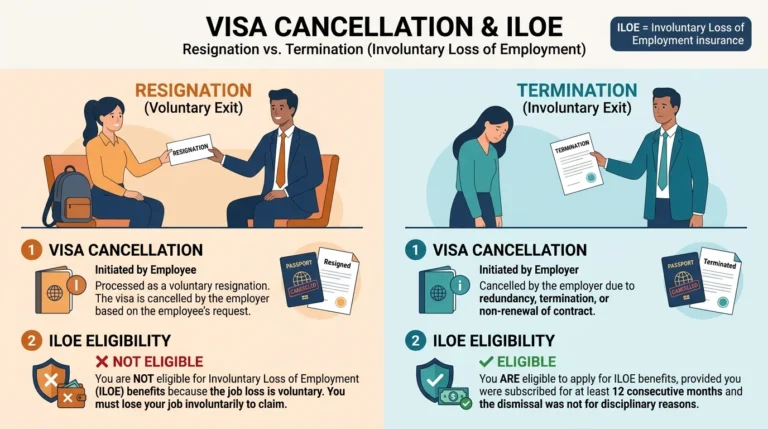
When employment ends, your employer must cancel your work permit through MOHRE. Under Article 7 of Cabinet Resolution No. 1 of 2022, the cancellation request requires the establishment to acknowledge that it has given you all your entitlements, and MOHRE’s published procedure asks for an employer declaration confirming payment. Cancelling the permit does not cancel your residence visa. That is done separately through ICP or GDRFA, and a grace period follows. Check its current length with those authorities before you plan around it.
Your entitlements include end-of-service gratuity under Article 51. A full-time foreign worker with at least one year of continuous service receives 21 days of basic wage for each of the first five years and 30 days for each year after that. The total cannot exceed two years of basic wage, and part years count in proportion once you have completed a year. Under Article 53, the employer must pay your wages and all other entitlements within 14 days of the end of the contract. UAE nationals are covered by pension and social security rules instead, as Article 51(1) states.
Example (illustrative figures): an employee on AED 5,000 basic salary completes 3 years. The daily basic wage is AED 5,000 ÷ 30 = AED 166.67. Gratuity is 21 days × 3 years = 63 days, and 63 × AED 166.67 = AED 10,500. The 21-day rate is set by law. The salary and length of service are examples, and allowances are excluded because gratuity uses basic wage only. For your own figures, use the final settlement calculator.
Sign the cancellation only when your dues are paid or confirmed in writing, because a signed acknowledgement of full payment can make a later claim harder. If your employer does not pay, you can file a MOHRE complaint over unpaid gratuity.
After the cancellation, search again to see the updated status and keep a copy of the result. Check that the cancellation date matches your real last working day, because your service, and so your gratuity, is measured to the end of your employment. A date that is too early can lead to disputes over how long you served.
Ask your employer whether a work abandonment report has been filed against you. Under Article 50, a foreign worker who leaves work for an illegitimate reason before the contract ends can be barred from a new work permit for one year, although the Ministry may exempt some categories. Article 45 lists cases where a worker may leave without notice and keep end-of-service rights, such as an employer breach that MOHRE has notified and the employer has not corrected. If you think that applies to you, keep written evidence and contact MOHRE before you stop working.
Working without a valid permit
Article 6 bars employment without a MOHRE permit. It also bars employers from charging workers recruitment and employment costs, directly or indirectly, so an employer who asks you to pay those costs is breaching the law. Since August 2024, Article 60, as amended by Federal Decree-Law No. 9 of 2024, sets employer fines of AED 100,000 to AED 1,000,000 for employing a worker without a permit or misusing permits.
The penalty falls on the employer, but the practical step for you is simple. If your status shows cancelled, expired or no record while you are still working, tell HR the same day and note the date.